Douha Assafiri
Software developer with a focus on web, mobile, desktop, and game development.

About Me
I am drawn to coding for its mix of logic, creativity, and problem-solving. I enjoy breaking down complex ideas into clear, workable solutions, particularly when building something useful with others. I focus on writing code that's maintainable, readable, and designed with long-term usability in mind.
Tech Stack












Projects
SecureScan
A full-stack web app for detecting and analysing spam messages.
SecureScan
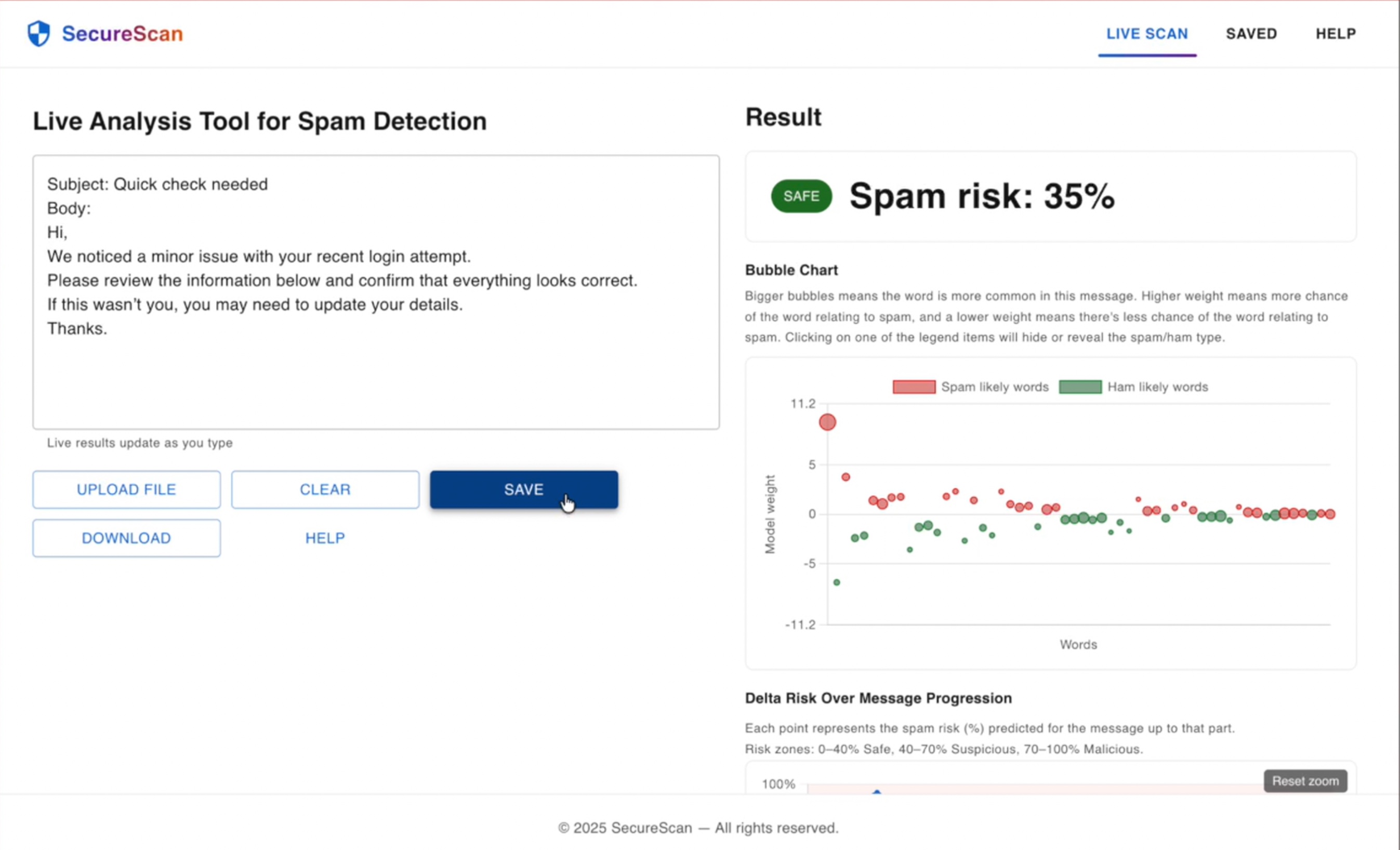
SecureScan is a full-stack web application for real-time spam analysis in cybersecurity scenarios. Users can scan messages live, receive a percentage-based spam risk score, and explore how individual tokens contribute to the model's decision through interactive visualisations.
Features
- Live spam risk scoring with percentage-based confidence
- Delta risk line chart showing spam probability progression
- Interactive bubble map highlighting word-level model contributions
- Category-based contribution bars for high-level rationale
- Saved scan history with export support
Built With
- FastAPI (Python)
- React + MUI
- scikit-learn (TF-IDF + classifier)
Notes
SecureScan is built as a full-stack application with a FastAPI backend and a
React-based frontend. Spam prediction is handled using a TF-IDF and Logistic
Regression pipeline, with supporting endpoints for explanation, saving results,
and export. The interface focuses on clearly presenting prediction output and
related analysis through live updates and structured visualisations.
ChatApp
A basic messaging app with an offline mini-game.
ChatApp
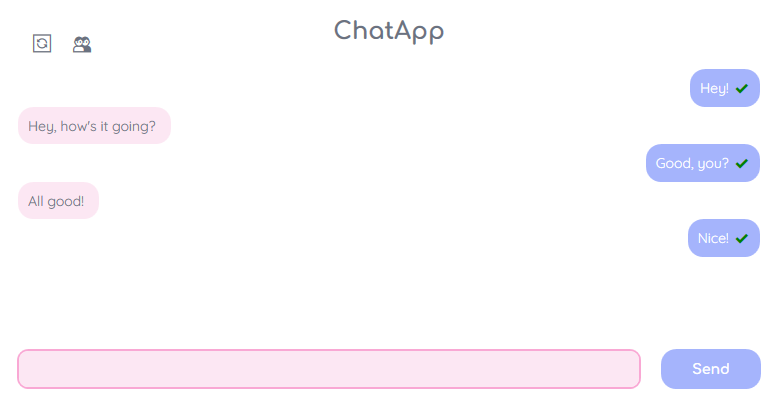
ChatApp is a messaging app that lets users send and receive messages in real time. It includes friend management, offline support, and a built-in unicorn mini-game when the server is unreachable.
Features
- User login and registration
- Real-time messaging between friends
- Message history with timestamps
- Local message deletion with sync on reconnecting
- Offline mode with local queuing
- Unicorn mini-game when offline
- Friend system (add, accept, reject requests)
- Soft, pastel-themed UI with custom WPF windows
Built With
- Frontend: C#, WPF, .NET Framework, XAML
- Backend: Python, FastAPI, SQLite
- Communication: RESTful API with JSON
Storage
Messages and user data are stored locally with SQLite and synced with the
server. Offline messages and deletions are queued and pushed once back online.
Notes
All windows and server logic were implemented using WPF and FastAPI. Animations,
game logic, and syncing were implemented manually without third-party libraries
beyond the main frameworks.
ImmuniBuddy
An educational Unity game about immune system mechanics.
ImmuniBuddy
ImmuniBuddy is an educational platformer built in Unity that models key mechanisms of the innate immune response, including phagocytosis and antibody-mediated opsonisation. The game progresses through three 2D levels and a bonus 3D level, and is designed for WebGL deployment.
Features
- Platformer-style gameplay with combat and traversal mechanics
- Three 2D levels and one 3D level with a unified progression flow
- Enemy interactions representing pathogen encounters
- Health and status effect systems tied to immune behaviour
- Profile-based progress system with save support
Built With
- Unity 6 (LTS)
- 2D URP + 3D Additive
- WebGL
Notes
The project combines 2D and 3D gameplay to represent different stages of immune
response, using Unity's Universal Render Pipeline for lighting and effects.
Gameplay systems were implemented with a focus on reflection of immune
mechanisms while maintaining smooth WebGL performance.
GZDoom AI Showcase
A custom GZDoom mod that explores enemy AI behaviour.
GZDoom AI Showcase
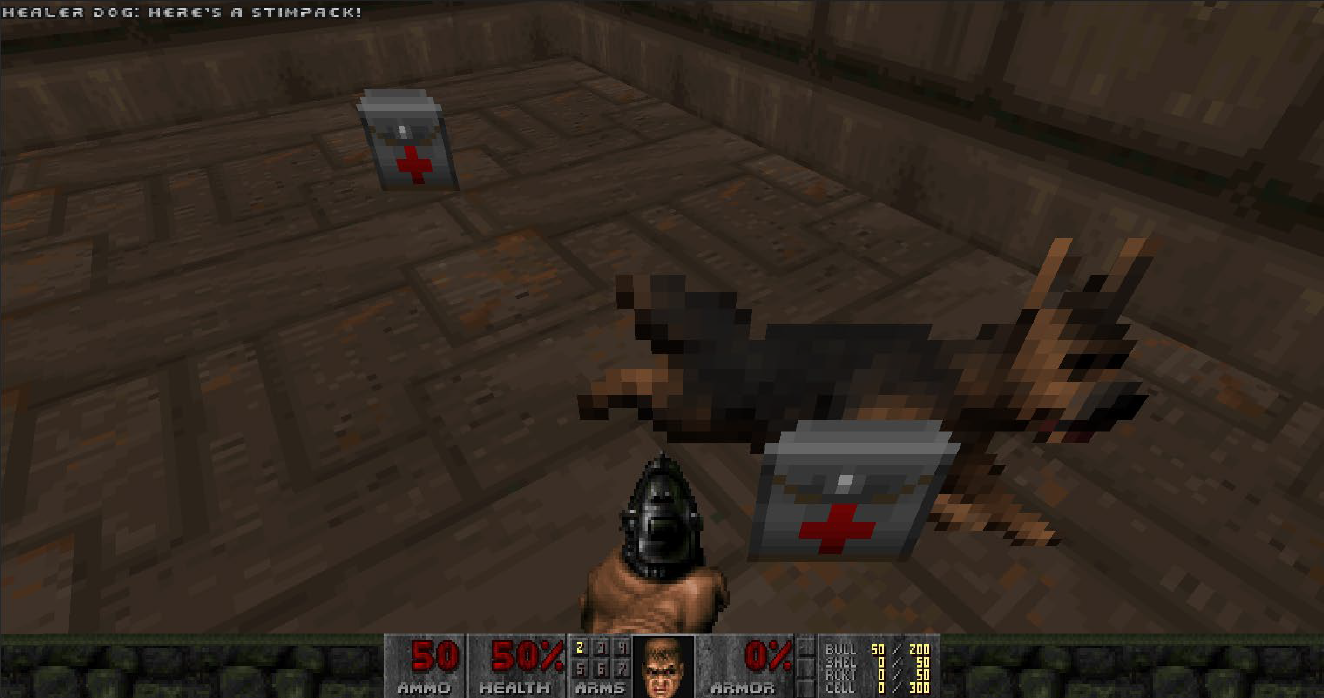
GZDoom AI Showcase is a custom AI project built in the GZDoom engine using ZScript. It demonstrates modular enemy behaviours and state logic through five unique agent types, each designed to test a different kind of game AI—from ambient wanderers to tactical turrets. All AI systems were implemented in ZScript with a custom map for showcasing each agent in action.
Features
- Custom finite state machines (FSMs) for each AI
- Line-of-sight detection using
A_LookExand vector math - Event-based behaviours like healing triggers and proximity-based ambushes
- Dynamic patrol using editor-defined patrol points
- Offline-friendly and lightweight—designed for smooth performance
Built With
- GZDoom Engine
- ZScript for custom AI and state logic
- Ultimate Doom Builder (map editing)
- CLion + CMake for development workflow
Included Agents
- PatrolZombie: Patrols predefined points and transitions to chase mode if it detects the player.
- WandererSoul: Non-hostile ambience agent that roams randomly to make the map feel alive.
- AllyHealer: Follows the player and heals when health is low. Activated via player interaction.
- TurretArachnotron: Stationary unit that rotates and fires at the player if in line of sight, using cooldown timers.
- Ambusher: Hides until the player comes close, then activates to pursue and attack, showing stealth logic.
Demo Map
All agents are placed in a custom showcase map called DEMOMAP. Each
area demonstrates the behaviour of a different AI in action.
Notes
Each agent was designed modularly to focus on different AI concepts, from
state-driven logic to tactical reasoning.
Klondike
A macOS Klondike Solitaire game built with SwiftUI.
Klondike
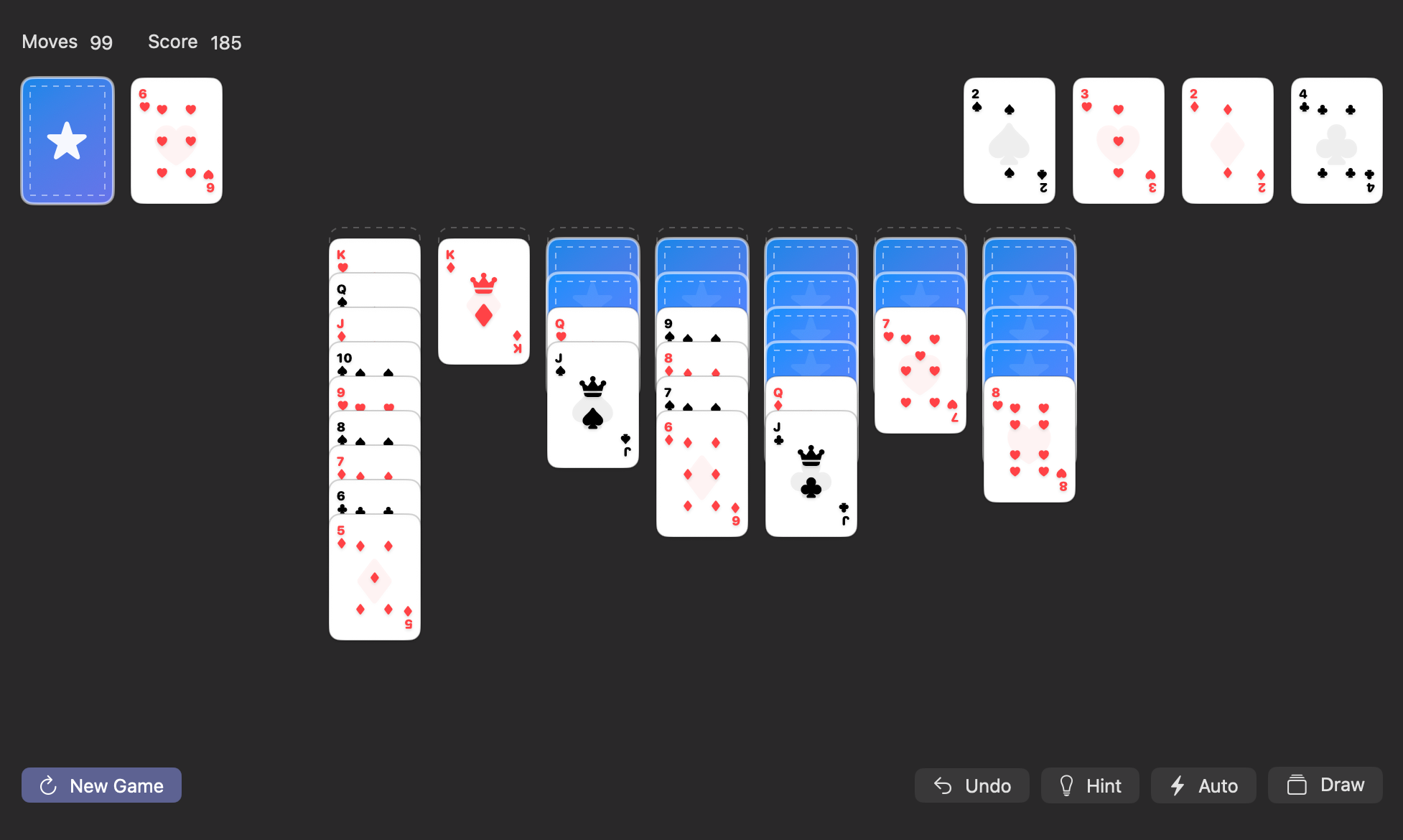
Klondike is a macOS Solitaire implementation built with SwiftUI. It supports standard tableau/foundation rules, with tap + drag-and-drop moves, scoring, undo, hints, and a win animation.
Features
- Draw from stock to waste, with stock recycle when empty
- Tableau rules: descending ranks with alternating colours
- Foundation rules: Ace → King by suit
- Drag-and-drop moves
- Tap-to-move shortcuts
- Undo system using full-state snapshots
- Hint system that scores and suggests the best available move
- Auto button that repeatedly moves obvious cards to foundations
- Win overlay with card-particle fountain animation
Built With
- Swift
- SwiftUI
- macOS SDK
Notes
The game state is managed through an ObservableObject with move validation for
tableau and foundations, plus scoring and move counting. A winnable deal option
generates a repeatable deck layout and rotates it so each new game feels
different. The win screen uses a SwiftUI Canvas-based particle system and
positions emitters from the foundation pile frames.
Taskie
A simple app for managing to-do lists.
Taskie
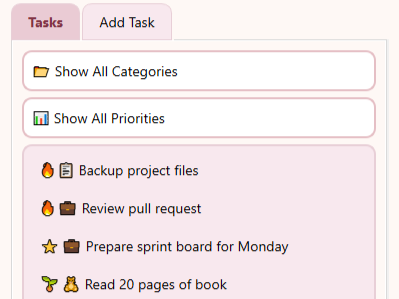
Taskie is a soft and simple desktop to-do app built with Python and PySide6. I designed it to feel minimal, calming, and enjoyable to use.
Features
- Add tasks with categories and priorities
- Emoji labels for quick task types
- Filter tasks by category or priority
- Local file-based task saving (no setup needed)
- Double-click to delete tasks quickly
- Pastel-themed interface styled with custom QSS
Built With
- Python 3.7+
- PySide6 (Qt for Python)
- Qt Style Sheets (QSS)
Storage
Tasks are saved to a local tasks.txt file in the app folder. It's
private and ignored by Git.
Notes
UI components and application logic were implemented using PySide6. The UI
layout, logic, and styles were created with Qt Style Sheets (QSS) to match a
soft aesthetic.

Space Invaders
A remake of the classic arcade game.
Space Invaders
Space Invaders is a modern reimagining of the classic arcade game, built using C# and SplashKit. The game features multiple enemy types, power-ups, level progression, and a final boss fight—all wrapped in an object-oriented structure that reflects good design principles.
Gameplay Features
- Waves of alien enemies with different movement and attack patterns
- Player ship can shoot, move, and collect power-ups
- Power ups grant benefits like extra lives or spread shots
- Enemies like
AlienChaseractively pursue the player - BossAlien appears on later levels and requires strategy to defeat
- Custom collision and state management system for fluid gameplay
Design Structure
- Entity-Based Inheritance: All game objects (player,
enemies, projectiles) extend from a shared
Entityclass - Factory Pattern: Used to spawn enemies and power-ups based on level logic
- Observer Pattern: ScoreManager updates UI when events occur (e.g., enemy destroyed)
- State Interface:
IGameStateinterface handles transitions like playing, paused, or game over
Built With
- C# with SplashKit
- Custom game loop and rendering logic
UI Screens
- Main menu, gameplay, pause, and victory screens
- In-game display includes score, level, lives, and bullet count
Notes
The project was a solo build done entirely in C#, with a focus on demonstrating
OOP concepts like inheritance and polymorphism. The codebase was designed for
modularity and clarity, using interfaces and patterns where appropriate. All
graphics and logic were implemented manually.
Portfolio Website
A personal website to display projects and skills.
Portfolio Website
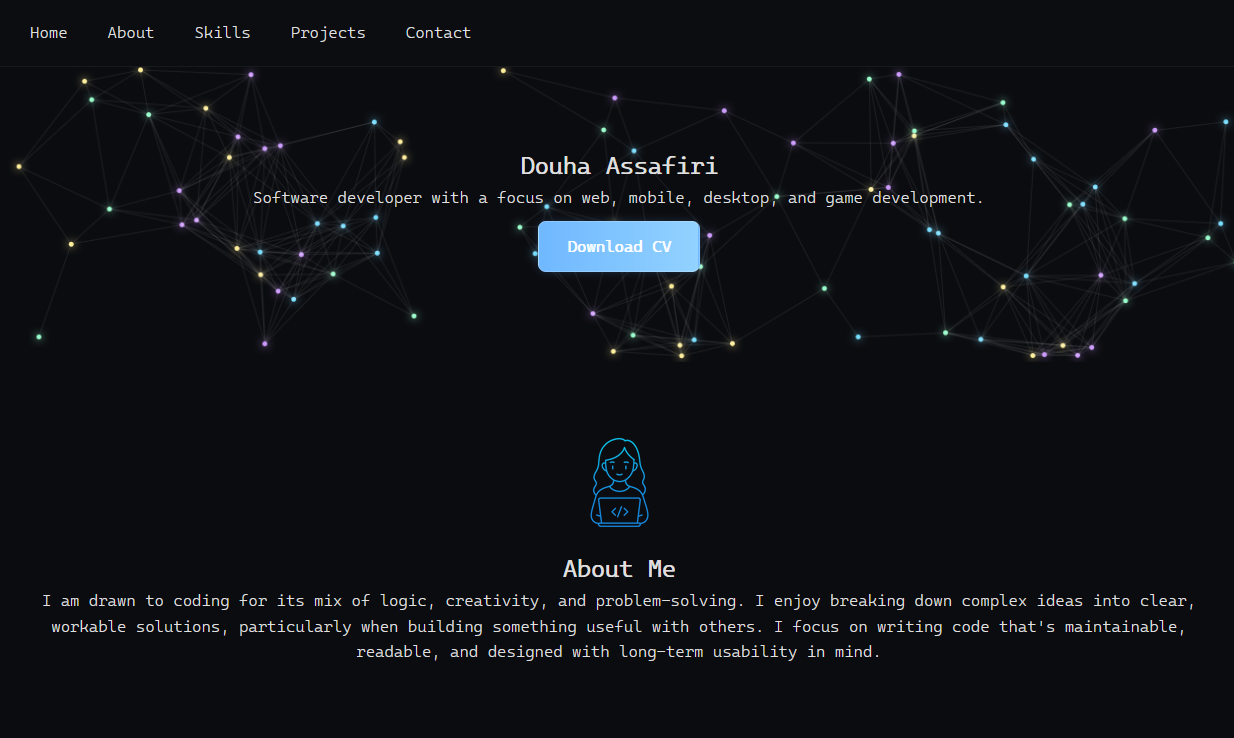
This website was developed to showcase my projects, skills, and experience. It's designed to be clear, responsive, and visually engaging while staying lightweight and easy to navigate.
Features
- Single-page layout with smooth anchor-based navigation
- Interactive flip-card system to display project details
- Responsive design for both desktop and mobile users
- Canvas-based animated background using JavaScript
Built With
- HTML5 and CSS3
- Vanilla JavaScript
- SwiperJS for the horizontal scrolling project view
- Canvas API for the animated connecting dots background
Notes
The entire site was designed and coded manually without any templates or
frameworks. The canvas animation was inspired by particle network effects to
give a modern and professional touch without affecting performance.
Contact
I'm always open to new opportunities and collaborations. Feel free to reach out via email or explore my work on GitHub and LinkedIn.